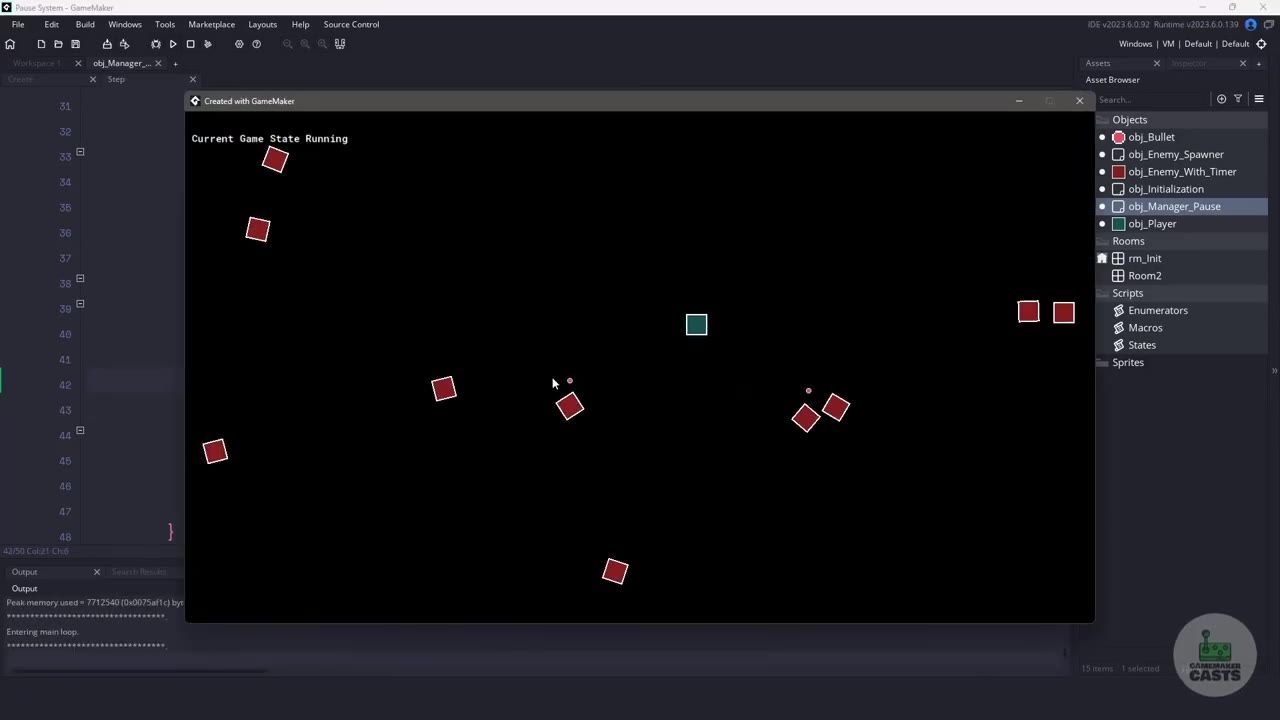
To create a reliable pause system in GameMaker, set up a global game state variable, use a manager object to toggle pause and running modes with the Escape key, and stop gameplay events in affected objects by returning early when the game is paused. Capture and restore alarm and speed values for objects that need their timers and velocities resumed after pausing.
What the pause system needs to control
A state machine approach is preferred over deactivating objects or drawing pause overlays. Use a dedicated global game state variable to track whether the game is running, paused, or in another special mode. Focus on controlling player logic, enemy behavior, alarms (timers), and objects that use speed, like bullets.

The GameMaker editor displays an enum script with PAUSED, RUNNING, and UPGRADING listed in the code window. — GameMaker Casts
prerequisites
- GameMaker project with player, enemy, and bullet objects using Step events and/or built-in timers.
- Ability to edit/create scripts and objects.
- Familiarity with global variables and arrays.
Create the pause state in GML
Define your state values in a script file using an enum. Initialize the default state in your game's initialization object. Store the value in a global variable so any object can check whether the game is currently running or paused.

The initialization script is open and shows global.game_state being assigned in the code editor. — GameMaker Casts
// Enumerators.gml
enum GAME_STATE {
    RUNNING,
    PAUSED,
    UPGRADING
}

// Initialization object Create event
global.game_state = GAME_STATE.RUNNING;
Toggle pause from a manager object
Use a single object to own the logic for toggling pause and unpause. In its Step event, check for Escape key presses. When the current state is running, set it to paused, and vice versa. This centralizes control and keeps input checks out of gameplay objects.

GameMaker Studio shows the pause manager Step event code checking for the Escape key. — GameMaker Casts
// obj_Manager_Pause Step event
if (keyboard_check_pressed(vk_escape)) {
    if (global.game_state == GAME_STATE.RUNNING) {
        global.game_state = GAME_STATE.PAUSED;
    } else if (global.game_state == GAME_STATE.PAUSED) {
        global.game_state = GAME_STATE.RUNNING;
    }
}
Stop movement in player and enemy Step events
Add a pause check at the top of any object that should stop responding during pause (e.g., player and enemy objects). If the game is currently paused, return early so the rest of the Step event does not execute.

The obj_Player Step event is open in the code editor with a pause check and early return at the top. — GameMaker Casts
before after
Before (Step event code without pause guard)
// obj_Player Step event
// Movement and gameplay code runs every frame
x += hspeed;
y += vspeed;
// more game logic...
After (Step event code with pause guard)
// obj_Player Step event
if (global.game_state == GAME_STATE.PAUSED) {
    return;
}
x += hspeed;
y += vspeed;
// more game logic...
Capture alarms and speed before pausing
To pause timers (alarms) and speed-based movement, store these values just before entering the paused state. Use arrays in the manager object to keep track of which instance had which alarm values or speed.

The pause manager Create event is open with arrays for alarms and speed initialized in code. — GameMaker Casts
// obj_Manager_Pause Create event
arr_alarms = [];
arr_speed = [];

// Script: add_alarm(instance, alarm_index, alarm_value)
function add_alarm(inst, idx, val) {
    array_push(arr_alarms, {instance: inst, index: idx, value: val});
    inst.alarm[idx] = -1;
}

// Script: add_speed(instance, value)
function add_speed(inst, val) {
    array_push(arr_speed, {instance: inst, value: val});
    inst.speed = 0;
}

// When pausing:
for (var i = 0; i < instance_count; i++) {
    var inst = instance_get_id(i);
    // Store alarms 0–9
    for (var a = 0; a < 10; a++) {
        var alarm_val = inst.alarm[a];
        if (alarm_val >= 0) {
            add_alarm(inst, a, alarm_val);
        }
    }
    // Store speed if used
    if (inst.speed > 0) {
        add_speed(inst, inst.speed);
    }
}
Restore paused state safely
When unpausing, restore all saved values for alarms and speed. Since instances might have been destroyed during pause, use a try/catch block when setting values back to avoid crashes. This ensures your game doesn't break if an object no longer exists.

The code editor shows a try/catch loop restoring saved alarm values when the game state is paused. — GameMaker Casts
Pause system basics for UI and menu work
The pause state is a part of your game's broader state management, not just an overlay menu. Menus can be triggered by checking the state, but the real control happens through the global variable and pause manager. This same approach lets you support other gameplay states, such as upgrading or custom transitions, and makes your pause menu logic straightforward.
Also worth knowing
- Destroyed instances: If an instance is destroyed during pause, the system can encounter a one-frame delay. Make sure the unpause logic handles missing instances gracefully.
- Instance existence check: Merely checking if an instance exists isn't enough. Using just that can still cause errors if the saved reference is no longer valid, so always use error handling when restoring state.
FAQ
how to create a pause system in GameMaker
Set up a global variable to track the game state, use a manager object to switch between running and paused with the Escape key, and add early return checks in any object that should not act when paused.
GameMaker pause menu tutorial
Display a pause menu based on the current game state, but keep the logic for starting and stopping gameplay inside your pause manager and affected game objects.
GameMaker game state control tutorial
Store your current state in a global variable that every object can read, and control all state transitions from your manager object for consistency and easier debugging.
GameMaker UI pause menu basics
Show UI or menu overlays only when the game state is paused, and make sure to keep actual gameplay freezing tied to your global state checks, not only to what the UI displays.
GML pause system for beginners
Begin by enabling Escape for toggling pause, defining running and paused states, and using a single object to handle the toggle, with gameplay logic blocked appropriately in affected objects.
Official reference: GameMaker manual.
Sources
Screenshots on this page are frames from the videos below, used to illustrate the steps they describe. All rights remain with their creators.
- Creating a Pause System in GameMaker — GameMaker Casts, September 5, 2023
Checked against:
- Read The Latest News & Interviews | GameMaker Blog — gamemaker.io